
Branding & theming
Defaults
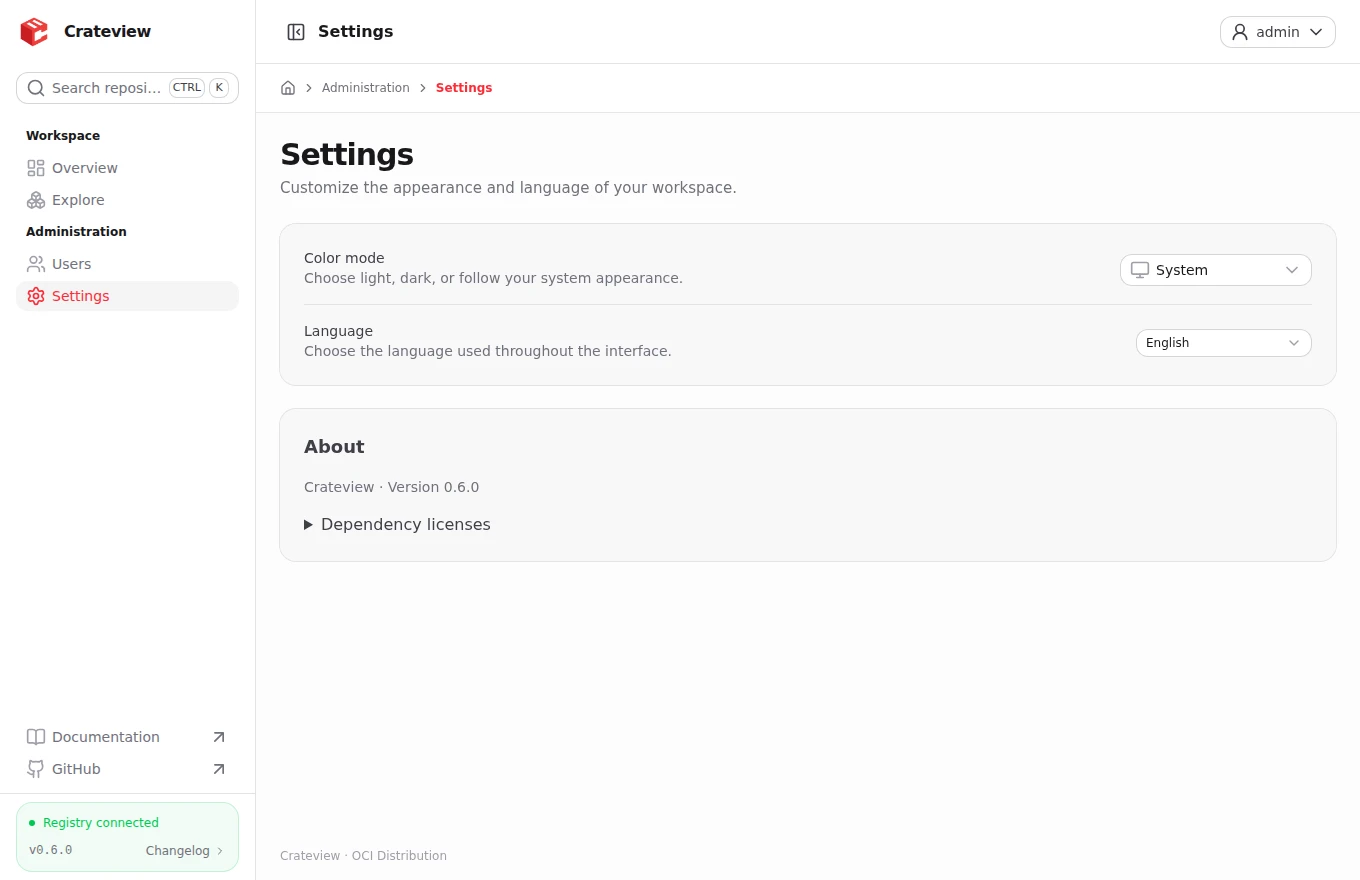
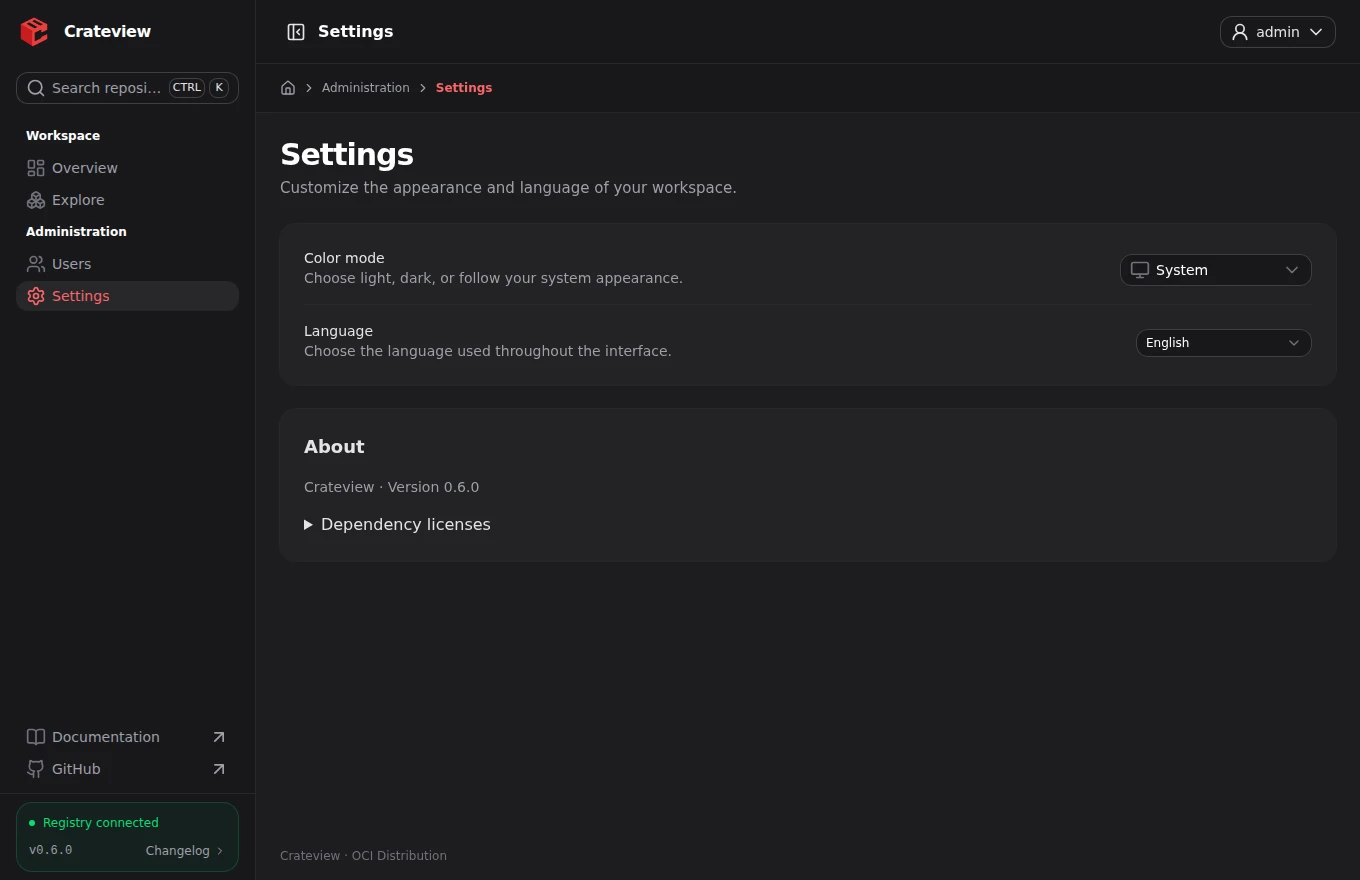
Crateview uses Nuxt UI's red primary palette and zinc neutral palette. The default color mode is System; users can choose Light or Dark independently of your color configuration.
Runtime theme variables
NUXT_PUBLIC_THEME_PRIMARY=red
NUXT_PUBLIC_THEME_NEUTRAL=zinc
NUXT_PUBLIC_THEME_RADIUS=0.5rem
NUXT_PUBLIC_THEME_FONT_FAMILY=Inter, ui-sans-serif, system-ui, sans-serif
The primary palette accepts standard Tailwind accent colors such as blue, emerald or violet. Neutral accepts slate, gray, zinc, neutral or stone. Radius accepts nonnegative px or rem values. Font configuration selects a font stack; bundle font files and declare @font-face if your font is not installed on the client.
Restart the server after changing production environment variables. No rebuild is needed for these runtime settings.
Application and component configuration
Defaults are defined in app/app.config.ts:
export default defineAppConfig({
  ui: { colors: { primary: 'red', neutral: 'zinc' } },
  theme: {
    radius: '0.5rem',
    fontFamily: 'Inter, ui-sans-serif, system-ui, sans-serif',
  },
})
Use normal Nuxt UI ui configuration for component variants and icons. Additional CSS design tokens and light/dark surface rules live in app/assets/css/main.css. Source changes require rebuilding the production application.
Replace the brand
NUXT_PUBLIC_BRAND_NAME=My Registry
NUXT_PUBLIC_BRAND_LOGO_LIGHT=/my-logo.png
NUXT_PUBLIC_BRAND_LOGO_DARK=/my-logo.png
NUXT_PUBLIC_BRAND_FAVICON=/my-favicon.ico
NUXT_PUBLIC_BRAND_TITLE_TEMPLATE=%s · My Registry
Place local assets in public/ before building, or use HTTP(S) asset URLs. Existing optional product, documentation and repository links can be configured through their corresponding NUXT_PUBLIC_BRAND_*_URL variables. Public configuration is visible in the browser and must never contain secrets.
Server files without rebuilding
Alternatively, configure private server-side file paths. Each configured file takes precedence over its corresponding public URL; leaving a file variable empty preserves the URL setting. Absolute paths are supported; relative paths resolve against the server working directory (/app in the Docker image). Filesystem paths are never sent to the browser. The assets themselves are public, including before sign-in.
NUXT_BRAND_LOGO_LIGHT_FILE=/app/branding/logo-light.svg
NUXT_BRAND_LOGO_DARK_FILE=/app/branding/logo-dark.svg
NUXT_BRAND_FAVICON_FILE=/app/branding/favicon.ico
Supported extensions: SVG, PNG, JPG/JPEG, WebP, GIF and ICO. Files must be readable, nonempty regular files; invalid settings stop server startup. Files are loaded at startup: restart after changing paths or file contents. No rebuild is needed.
For Docker Compose, create a compose.branding.yaml override:
services:
  frontend:
    volumes:
      - ./branding:/app/branding:ro
    environment:
      NUXT_BRAND_LOGO_LIGHT_FILE: /app/branding/logo-light.svg
      NUXT_BRAND_LOGO_DARK_FILE: /app/branding/logo-dark.svg
      NUXT_BRAND_FAVICON_FILE: /app/branding/favicon.ico
Create the three files in ./branding on the host and allow the container’s node user to read them. Start with docker compose -f compose.yaml -f compose.branding.yaml up -d. The mount is read-only; configured paths refer to files inside the container. These private file variables apply to the registry UI.
The Crateview website reuses the registry UI's mark, theme defaults and branding variable names. The website is maintained separately; its source and deployment configuration are private. Its documentation sources are public in crateview/docs.
Brand the installed app
The installed app uses NUXT_PUBLIC_BRAND_NAME and NUXT_PUBLIC_BRAND_DESCRIPTION. Dedicated PWA icons are independent of light/dark logos and the favicon. The 192-pixel PNG also supplies the Apple touch icon. Default install icons use the Crateview mark.
Create the two PNG files with exact 192×192 and 512×512 pixel dimensions on the host and allow the container user to read them. The following overlay mounts them read-only; combine it with your existing Compose file. URL overrides use NUXT_PUBLIC_BRAND_PWA_ICON_192 and NUXT_PUBLIC_BRAND_PWA_ICON_512 instead.
services:
  frontend:
    volumes:
      - ./branding:/app/branding:ro
    environment:
      NUXT_BRAND_PWA_ICON_192_FILE: /app/branding/pwa-192.png
      NUXT_BRAND_PWA_ICON_512_FILE: /app/branding/pwa-512.png
Installed-app icon changes can take time to appear because browsers manage installed app metadata. Restarting Crateview applies runtime configuration, but does not guarantee an immediate icon refresh in an existing installation.